Toggles
Capture toggles are split into Basic (Free) and Advanced (Standard, Premium, and free trial).
Basic includes replies, quote posts, post types (text, images, alt-text, GIFs, video, links), adult content, profile bio adult markers, Author is a bot, and Related post exclusions. The Basics tab also has Capture posts from all users, Post languages, and Order of posts.
Advanced includes Author has a bridge / bot handle, Detected language, Video duration, Moderation by account age, YouTube Shorts link, Maximum number of hashtags, Maximum alt-text words per image, and Multiple matching terms. The Advanced tab also has Pending posts (available on Free). On Free, Advanced capture toggles stay visible but non-Allow actions are locked until you upgrade. Saved Advanced rules stay in the database and apply again after you upgrade.
For AI detection capture toggles, see AI detection.
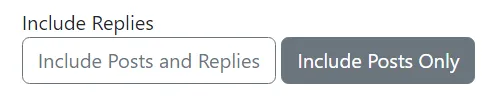
Include Replies
Section titled “Include Replies ”This makes the feed either:
- collect posts AND their replies (if a reply has an inclusion term in it, it will be included but the post it’s replying to won’t be if it doesn’t have an included term), or
- Only collect top level posts with inclusion terms
Text Posts
Section titled “Text Posts”This makes the feed either:
- Allow all posts with no images, GIFs, video, or link cards
- Require approval if a post is text-only
- Exclude all text-only posts
- Only capture text-only posts
Quote posts with no media or link card count as text posts. Quote posts still have their own setting.
This setting is available on Free.
Posts With Images
Section titled “Posts With Images”This makes the feed either:
- Allow all posts which have image(s)
- Require approval if a post has image(s)
- Exclude all posts which have image(s)
- Only capture posts with image(s)

Posts With Gifs
Section titled “Posts With Gifs”This makes the feed either:
- Allow all posts which have a gif
- Require approval if a post has a gif
- Exclude all posts which have a gif
- Only capture posts with a gif

Posts With Video
Section titled “Posts With Video”This makes the feed either:
- Allow all posts which have video
- Require approval if a post has video
- Exclude all posts which have video
- Only capture posts with video

Video duration
Section titled “Video duration”After you save a feed, Advanced capture toggles include a Video duration control.
This applies when an embedded Bluesky video is shorter or longer than the range you choose (0:00–10:00, default 0:00–1:00). Posts without video are left alone. Require approval, Hide, and Remove still capture matching posts first, then apply that action.
This setting is disabled when Posts with video is set to Exclude. It is an Advanced toggle, available on Standard and Premium (and during a free trial). Choose one of:
- Allow — do not extra-filter by video length (the default)
- Require approval — hold videos outside the range until you approve them
- Hide — keep those videos out of the public feed
- Remove — delete those videos from the feed
When an action other than Allow is selected, min and max sliders set the range to keep. The choice is saved as soon as you click it or move a slider.
Moderation by account age
Section titled “Moderation by account age”After you save a feed, Advanced capture toggles include a Moderation by account age control.
This applies when the author’s Bluesky account is newer than the minimum age you choose (0–30 days, default 7). Require approval, Hide, and Remove still capture matching posts first, then apply that action. Posts without a known account creation date are left alone. A minimum of 0 days with a non-Allow action has no effect — use Allow or set at least 1 day.
This setting is an Advanced toggle, available on Standard and Premium (and during a free trial). Choose one of:
- Allow — do not extra-filter by account age (the default)
- Require approval — hold posts from newer accounts until you approve them
- Hide — keep those posts out of the public feed
- Remove — delete those posts from the feed
When an action other than Allow is selected, a slider sets the minimum account age in days. The choice is saved as soon as you click it or move the slider.
YouTube Shorts link
Section titled “YouTube Shorts link”After you save a feed, Advanced capture toggles include a YouTube Shorts link control.
This applies when the post text or embedded link card contains a YouTube Shorts URL (youtube.com/shorts/…). Regular YouTube watch links (youtube.com/watch) are not matched. Require approval, Hide, and Remove still capture matching posts first, then apply that action.
This setting is an Advanced toggle, available on Standard and Premium (and during a free trial). Choose one of:
- Allow — do not extra-filter by YouTube Shorts links (the default)
- Require approval — hold those posts until you approve them
- Hide — keep those posts out of the public feed
- Remove — delete those posts from the feed
The choice is saved as soon as you click it.
Maximum number of hashtags
Section titled “Maximum number of hashtags”After you save a feed, Advanced capture toggles include a Maximum number of hashtags control.
This applies when a post has more hashtags than the maximum you choose (0–30, default 5). The count includes #tags in the post text and Bluesky tags attached to the post (the same tags counted once if duplicated). Posts at or below your maximum are left alone. Require approval, Hide, and Remove still capture matching posts first, then apply that action.
This setting is an Advanced toggle, available on Standard and Premium (and during a free trial). Choose one of:
- Allow — do not extra-filter by hashtag count (the default)
- Require approval — hold posts over the limit until you approve them
- Hide — keep those posts out of the public feed
- Remove — delete those posts from the feed
When an action other than Allow is selected, a slider sets the maximum hashtag count. The choice is saved as soon as you click it or move the slider.
Maximum alt-text words per image
Section titled “Maximum alt-text words per image”After you save a feed, Advanced capture toggles include a Maximum alt-text words per image control.
This applies when any image on a post has alt text with more words than the maximum you choose (0–200, default 50). Word count is per image—the highest count on the post is compared to your limit. Posts without images, or where every alt text is at or below your maximum, are left alone. Require approval, Hide, and Remove still capture matching posts first, then apply that action.
This setting is an Advanced toggle, available on Standard and Premium (and during a free trial). Choose one of:
- Allow — do not extra-filter by alt-text length (the default)
- Require approval — hold posts over the limit until you approve them
- Hide — keep those posts out of the public feed
- Remove — delete those posts from the feed
When an action other than Allow is selected, a slider sets the maximum word count per image. The choice is saved as soon as you click it or move the slider.
Posts With Links
Section titled “Posts With Links”This makes the feed either:
- Allow all posts which have a link card
- Require approval if a post has a link card
- Exclude all posts which have a link card
- Only capture posts with a link card
GIF cards are not treated as link cards; they use Posts with GIFs. URLs in the post text without a link card are not link posts.
This setting is available on Free.
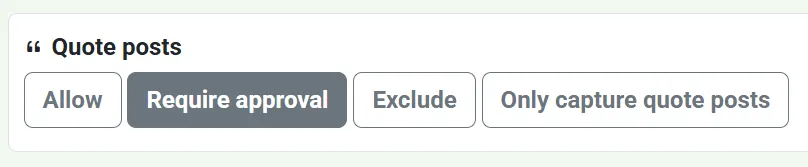
Quote Posts
Section titled “Quote Posts”For posts where the main post (not the post being quoted) are captured by the feed, this makes the feed either:
- Allow all quote posts
- Require approval for any quote posts
- Exclude all quote posts
- Only capture quote posts
Quoted or parent post
Section titled “Quoted or parent post”After you save a feed, feed settings include a Quoted or parent post control with Include replies and Quote posts.
This still captures the quote or reply. It then checks the quoted post, or a reply’s parent or root, against this feed’s Exclusion terms. That is different from Quote posts → Exclude, which skips capturing quote posts altogether.
This setting is available on Free. Choose one of:
- Allow — do not extra-filter by related-post text
- Require approval — hold the captured post until you approve it
- Hide — keep the captured post out of the public feed (the default for new feeds)
- Remove — drop the captured post from the feed
Empty Exclusion terms do nothing. The choice is saved as soon as you click it.
Detected language
Section titled “Detected language”Detected language is an Advanced capture toggle (Standard, Premium, and free trial). Set Post languages and save first.
This double-checks the post text (not the languages the author tagged on the post). When detection is reliable and does not match this feed’s Post languages, you can hold or hide the post. Uncertain detections are left alone.
Choose one of:
- Allow — do not extra-filter by detected language (the default)
- Require approval — hold those posts until you approve them
- Hide — keep those posts out of the public feed
Require approval and Hide stay disabled until Post languages are set and the feed is saved. The choice is saved as soon as you click it.
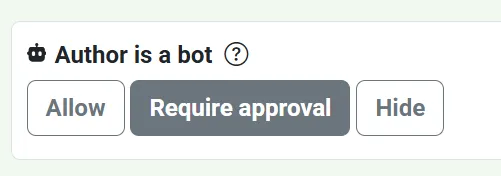
Author is a bot
Section titled “Author is a bot”After you save a feed, feed settings include an Author is a bot control (the same bot icon Bluesky shows next to declared bot accounts).
This applies when the author has applied the bot label to their own profile. It does not treat a bot label from someone else as a declared bot.
This setting is available on Free. Choose one of:
- Allow — capture posts from declared bots as usual (the default)
- Require approval — hold those posts until you approve them
- Hide — keep the posts out of the public feed
The choice is saved as soon as you click it.
Author has bridge / bot handle
Section titled “Author has bridge / bot handle”After you save a feed, Advanced capture toggles include an Author has bridge / bot handle control.
This applies when the author’s handle ends with .bot or .brid.gy. Require approval and Hide still capture the post, then hold or hide it. That is different from Author is a bot, which uses the self-applied bot profile label rather than the handle.
This setting is available on Standard and Premium (and during a free trial). Choose one of:
- Allow — capture posts from those handles as usual (the default)
- Require approval — hold those posts until you approve them
- Hide — keep the posts out of the public feed
The choice is saved as soon as you click it.
Adult content
Section titled “Adult content”After you save a feed, feed settings include an Adult content control.
This applies when the post has an adult content warning: porn, sexual, nudity, or nsfw. Require approval and Hide still capture the post, then hold or hide labelled posts. Only capture adult content still captures, then removes posts without those labels. That is different from putting those words in Exclusion terms, which skips capturing labelled posts altogether.
This setting is available on Free. Choose one of:
- Allow — do not extra-filter by adult labels (the default)
- Require approval — hold those posts until you approve them
- Hide — keep those posts out of the public feed
- Only capture adult content — remove posts without those labels from the feed
The choice is saved as soon as you click it.
Profile bio adult markers
Section titled “Profile bio adult markers”After you save a feed, feed settings include a Profile bio adult markers control (under Adult content).
This applies when the author’s profile description contains 🔞 or nsfw. Require approval and Hide still capture the post, then hold or hide it. That is different from putting those words in Exclusion terms, which skips capturing the post altogether.
This setting is available on Free. Choose one of:
- Allow — do not extra-filter by profile bio markers (the default)
- Require approval — hold those posts until you approve them
- Hide — keep those posts out of the public feed
The choice is saved as soon as you click it.
Multiple matching terms
Section titled “Multiple matching terms”After you save a feed, Advanced capture toggles include a Multiple matching terms control.
This automatically approves a post when it matches at least a chosen number of inclusion terms. The count is Includes plus Includes requiring approval.
This setting is available on Standard and Premium (and during a free trial). Choose one of:
- Do nothing — do not auto-approve from term count (the default)
- Approve — approve posts that match at least this many inclusion terms
When Approve is selected, a slider sets the minimum from 2 to 5. The choice is saved as soon as you click it or move the slider.
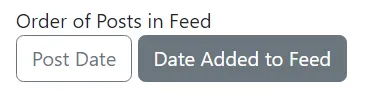
Order of Posts in Feed
Section titled “Order of Posts in Feed”This makes the feed either:
- Be in order of when posts were posted
- Be in order of when posts were added to the feed
This is useful if you’re manually curating posts in a feed where you have an intended order, such as an art feed.
Capture posts from all users or just specific users
Section titled “Capture posts from all users or just specific users”This makes the feed either:
- Capture posts from all users (i.e. everybody on Bluesky)
- Capture posts from specific users (i.e. people you’ve picked out/approved)
This is useful if you’re manually curating a feed of a very specific topic, e.g. your own pet, your own art, posts to do with a particular project which a particular group of people are posting about, etc.
